








Document Upload
Begin your loan
application today
with three easy steps!
We write cold emails that get replies because they're built on real context, tailored to the decision-maker, and written by experts who understand cold email.
Get Started Today
in three easy steps!
Thank you for your interest in applying for financing with Riviera Financial Partners using our secure and encrypted portal.

Apply Online!
Some teams rely entirely on AI to write the message, which leads to flat, obvious copy that lacks real context.
Borrower Authorization Form
“Saw you went to Stanford” or “Noticed you posted recently” doesn’t add relevance. It adds noise.

Document Upload
Sending founder-style copy to a Head of Ops or marketing language to a CTO is a fast way to get ignored.
LAYOUT TWO
Begin Your Application with Three Easy Steps!
Thank you for your interest in applying for financing with Riviera Financial using our secure and encrypted portal.
Apply Online or you can download / print and complete the Loan Application PDF Document.
Download the borrow-colser authorization form and complete it. Note: you will be asked to upload this form in the secure portal later in the process.
Once you've completed steps one and two, complete the form below to submit required financial documents to our secure document upload portal for the loan process.
   <style>
        /* Ensure these fonts are available in your environment */
        :root {
            --bg-color: #ffffff;
            --text-main: #000000;
            --text-muted: #666666;
            --font-sans: "PP Neue Montreal", sans-serif;
            --font-mono: "Fragment Mono", monospace;
        }


		.step_process {
			width: 100%;
			margin: 0 auto;
		}
       .step_process h1 {
            font-size: 64px;
            font-weight: 500;
            line-height: 1.1;
            margin-bottom: 80px;
            letter-spacing: -0.02em;
        }

        .step_process .grid {
            display: grid;
            grid-template-columns: repeat(3, 1fr);
            gap: 24px;
        }

       .step_process .step-label {
            font-family: var(--font-mono);
            font-size: 12px;
            text-transform: uppercase;
            border: 1px solid #e0e0e0;
            padding: 6px 14px;
            border-radius: 100px;
            display: inline-block;
            margin-bottom: 24px;
            letter-spacing: 0.05em;
        }

        .step_process .image-container {
            width: 100%;
            aspect-ratio: 1.8 / 1;
            border-radius: 8px;
            margin-bottom: 24px;
            overflow: hidden;
        }

       .step_process .image-container img {
            width: 100%;
            height: 100%;
            object-fit: cover;
        }

    .step_process  h3 {
            font-size: 20px;
            font-weight: 500;
            margin: 0 0 16px 0;
        }

        .step_process p {
            font-size: 16px;
            line-height: 1.5;
            color: var(--text-muted);
            margin: 0;
        }

        @media (max-width: 1024px) {
           .step_process .grid { grid-template-columns: repeat(2, 1fr); }
        }
        @media (max-width: 600px) {
            .step_process  .grid { grid-template-columns: 1fr; }
        }
    </style>


    <h1>Most “personalized”<br>emails aren’t.</h1>

    <div class="grid">
        <div class="card">
            <div class="step-label">Step 1</div>
            <div class="image-container">
                <img src="https://framerusercontent.com/images/zEfHbqRrkbSDSPV9zVreXSUx8o.png?width=576&height=321" alt="Step 1">
            </div>
            <h3>AI-generated from start to finish</h3>
            <p>Some teams rely entirely on AI to write the message, which leads to flat, obvious copy that lacks real context.</p>
        </div>

        <div class="card">
            <div class="step-label">Step 2</div>
            <div class="image-container">
                <img src="https://framerusercontent.com/images/MYtJUER26oY6hErCdxdVbURIEw.png?width=576&height=321" alt="Step 2">
            </div>
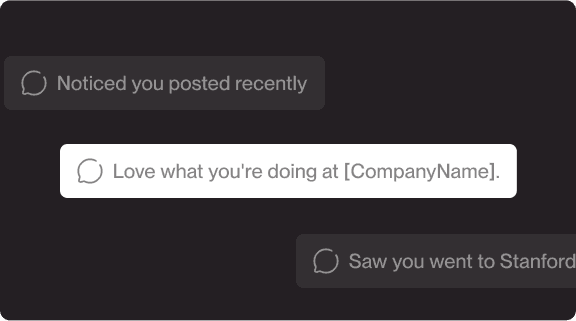
            <h3>Shallow personalization tricks</h3>
            <p>“Saw you went to Stanford” or “Noticed you posted recently” doesn’t add relevance. It adds noise.</p>
        </div>

        <div class="card">
            <div class="step-label">Step 3</div>
            <div class="image-container">
                <img src="https://framerusercontent.com/images/a0mGTYEQcJajEYjoF2kroLQqsA.png?width=576&height=321" alt="Step 3">
            </div>
            <h3>The same message for every role</h3>
            <p>Sending founder-style copy to a Head of Ops or marketing language to a CTO is a fast way to get ignored.</p>
        </div>


            </div>